
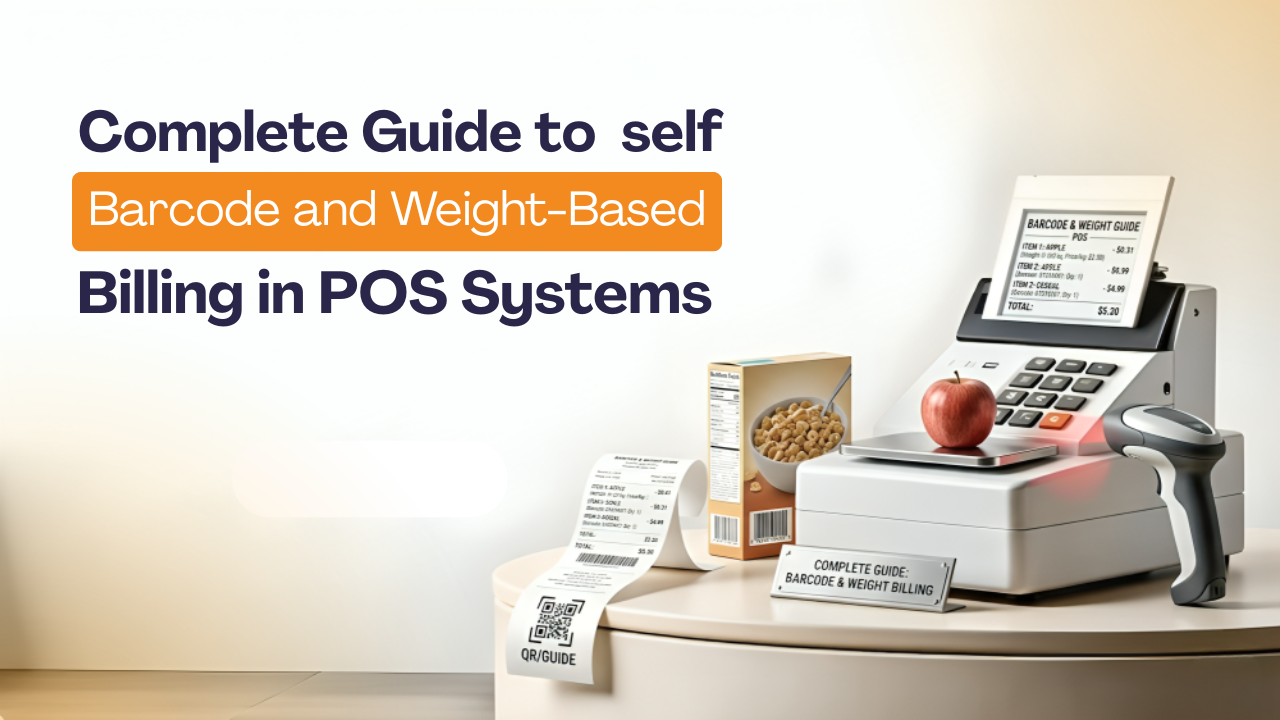
Complete Guide to Barcode and Weight-Based Billing in POS Systems
Kenfra Research - Bavithra2026-04-02T17:08:51+05:30I run a small grocery and general store in my hometown. For years, I was manually typing in product names and prices every time a customer came to the counter. It was slow. It was full of mistakes. And honestly, it was exhausting. Then I switched to barcode and weight-based billing in POS systems specifically, I started using Kenfra BillPad and it completely changed the way I run my shop. In this blog, I want to share everything I’ve learned about barcode and weight-based billing in POS systems, in simple words that anyone can understand.
What Is a POS System?
A Point of Sale (POS) system is the software and hardware you use to process sales at your shop. Think of it as your billing counter — but smarter. A good POS system can handle product lookups, payments, inventory tracking, receipts, and much more. Modern POS billing software like Kenfra BillPad takes this even further by connecting with barcode scanners and digital weighing scales directly, making billing faster and more accurate.
What Is Barcode Billing in a POS System?
Barcode billing means every product in your shop has a unique barcode printed on it. First, when a customer buys that product, you simply scan the barcode using a barcode scanner. Then, all the product details — name, price, GST — are automatically filled in on the bill. As a result, the billing process becomes faster and more accurate.
How It Works (Step by Step):
- You or your supplier adds products to the retail POS system with a unique barcode number
- When a customer picks a product, you scan the barcode at the counter
- The system instantly fetches the product name and price
- The bill is generated automatically — no typing needed
When I set up Kenfra BillPad in my store, I was surprised at how easy it was to map barcodes to my products. Within two days, I had over 400 products linked with barcodes. Now I just scan and bill — done in seconds.
What Is Weight-Based Billing in a POS System?
Weight-based billing is perfect for products that are sold by weight — like rice, sugar, dry fruits, pulses, vegetables, or meat. Instead of counting units, the weighing scale POS integration automatically reads the weight and calculates the price.
How It Works:
- You place the product on a connected digital weighing scale
- The scale sends the weight directly to the POS billing software
- The system multiplies the weight by the product’s per-kg price
- The correct amount appears on the bill automatically
Before Kenfra BillPad, I used to weigh rice on one machine, note it down on paper, then manually type it into the bill. Now the scale talks directly to my POS. Zero manual entry. Zero errors.
Why Barcode and Weight-Based Billing Matters for Retail Shops?
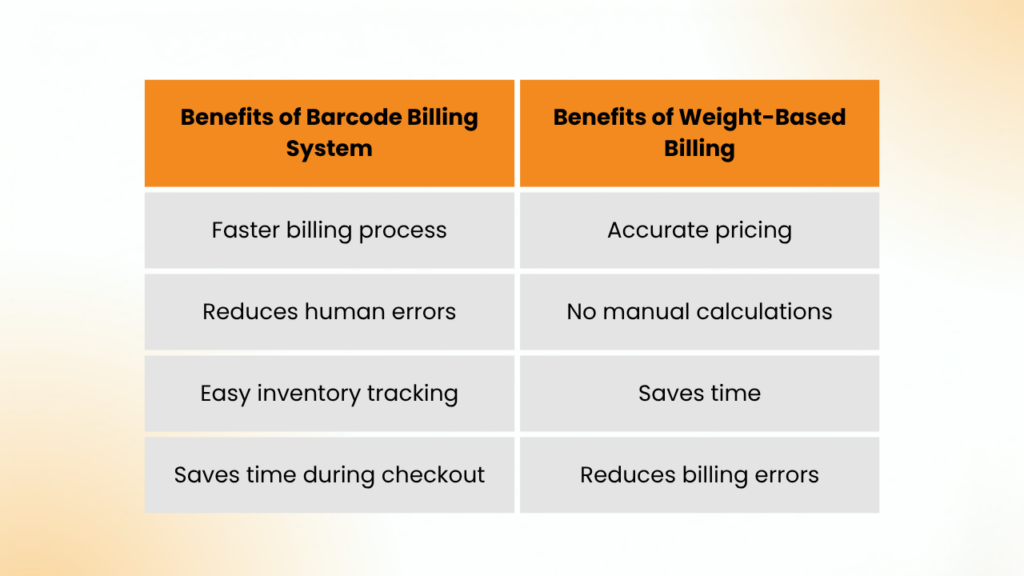
Whether you run a supermarket, a kirana store, a pharmacy, or a food shop — barcode scanner billing and weight-based billing solves real problems:
Speed at the Counter
No more slow typing. Instead, you can scan or weigh, and the bill is ready in seconds. Moreover, during busy hours, this makes a huge difference.
Fewer Billing Mistakes
Manual entry leads to wrong prices or wrong product names. With barcodes and auto-weight reading, errors are almost zero.
Better Inventory Control
Every time you scan and sell a product, the system reduces stock automatically. You always know what’s running low without physically counting.
Customer Trust
When customers see an accurate, itemized bill generated in real time, they trust you more. No arguments over prices.
GST-Ready Bills
Good POS billing software like Kenfra BillPad automatically applies the correct GST rate for each product and shows it clearly on the receipt.
Barcode Billing vs Weight-Based Billing: Which Do You Need?
A solid retail POS system like Kenfra BillPad supports both — at the same time. I use barcode billing for packaged goods and weight billing for loose grains and spices. Both work together smoothly in a single bill.
How to Set Up Barcode and Weight-Based Billing in Your POS?
Here is how I did it with Kenfra BillPad, in simple steps:
1. Add Your Products
Enter each product into the system with a name, category, price, and GST rate. Additionally, for barcode products, enter the barcode number. Meanwhile, for weight products, set the price per kg or gram.
2. Connect Your Hardware
Plug in your USB or wireless barcode scanner. After that, connect your digital weighing scale via USB or serial port. Next, Kenfra BillPad detected both devices automatically on my system. As a result, setup was quick and hassle-free.
3. Test It
Scan a product and check if the details appear correctly. Then, place an item on the scale and check if the weight is pulled in. Finally, do a test bill.
4. Train Your Staff
Even a new shop helper can learn how to scan and bill within an hour. It’s that simple.
5. Go Live
Start billing your customers. Print or send digital receipts. Watch how much faster your counter moves.
Frequently Asked Questions:
1. What is barcode billing in a POS system?
Barcode billing is a method where a barcode scanner reads a product’s barcode and automatically fills in the product name, price, and tax on the bill. In other words, no manual typing is needed.
2. What is weight-based billing in a POS system?
Weight-based billing connects a digital weighing scale to your POS software. When you place a product on the scale, the weight is automatically sent to the billing screen and the price is calculated instantly.
3. What is the difference between barcode billing and weight-based billing?
Barcode billing is used for packaged products with a fixed unit price. On the one hand, it ensures quick and accurate billing for fixed-price items. On the other hand, weight-based billing is used for loose items like rice, sugar, or dry fruits that are sold by kg or gram. In addition, it allows precise pricing based on the exact weight.
4. Which types of businesses need weight-based billing in their POS?
Grocery stores, kirana shops, fruit and vegetable stalls, meat shops, bakeries, dry fruit retailers, and any business that sells products by weight. For example, these businesses benefit from accurate pricing. In addition, weight-based billing ensures fairness for both the seller and the customer. Overall, it is ideal for any shop dealing with variable-weight items.
5. Does barcode billing work with GST automatically?
Yes. In fact, in a good POS system like Kenfra BillPad, GST is mapped to each product during setup. Then, it is automatically applied every time that product is scanned. As a result, billing becomes faster and more accurate.
Final Thoughts:
Switching to barcode and weight-based billing in POS was the best business decision I made in the last five years. As a result, my billing is three times faster. Moreover, my stock is always accurate. In addition, my customers get clear, professional receipts. Finally, I spend less time worrying about mistakes.
If you’re looking for a reliable POS billing software that handles both barcode scanning and weight-based billing smoothly, I strongly recommend giving Kenfra BillPad a try. Trusted as India’s Smartest Billing Platform, it’s built for real shopkeepers who want something that just works — without complicated setup or technical headaches. Stop billing manually. Let the system do the work.







Leave a Reply