
Still Using Excel? Switch to CRM for Smarter Business Growth
Kenfra Research - Shallo2026-01-20T09:29:43+05:30Switch to CRM — in the early days of business operations, Excel spreadsheets were the go-to solution for managing customer data, tracking sales, and organizing workflows. Switch to CRM because while Excel is versatile, familiar, and cost-effective, relying solely on it in today’s fast-paced business environment can limit your efficiency, increase the risk of errors, and slow down growth. Enter CRM — Customer Relationship Management — the smarter upgrade that streamlines processes, enhances collaboration, and helps your business scale efficiently.
Why Excel Falls Short in Modern Business
Excel has been around for decades, and for good reason. It’s a simple tool for creating lists, calculating numbers, and storing basic data. However, as your business grows, the limitations of Excel become clear:
Manual Data Entry Errors
Entering large volumes of data manually increases the chance of mistakes. Even a single error in a sales spreadsheet can lead to incorrect forecasts, lost revenue, and poor decision-making.
Limited Collaboration
While Excel allows sharing via email or cloud platforms, multiple people working on the same file can create version conflicts. Teams may end up working on outdated or duplicated data, leading to confusion.
Poor Scalability
As your customer database grows, Excel becomes cumbersome. Tracking thousands of leads or sales interactions is not only time-consuming but also prone to inaccuracies.
No Automation
Excel cannot automatically send follow-up emails, assign tasks, or provide real-time insights. Every action requires manual input, slowing down your business processes.
While Excel is sufficient for small-scale operations, businesses that aim for growth need a more robust solution.
What Is CRM and How It Works
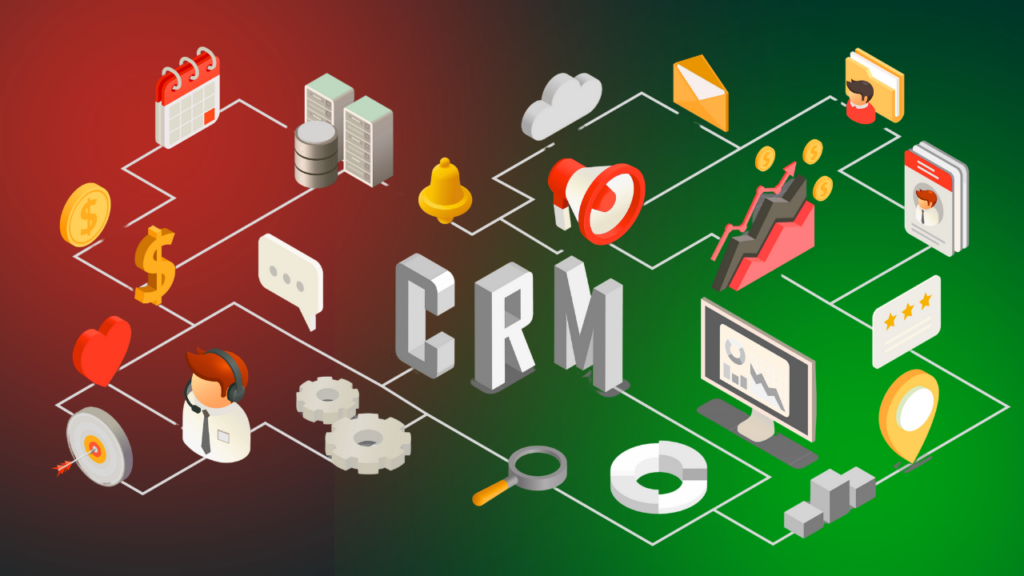
A CRM (Customer Relationship Management) system is software designed to manage all your company’s relationships and interactions with customers and potential clients. CRM centralizes customer information, streamlines workflows, and provides actionable insights to improve sales, marketing, and customer service.
Modern CRMs, like Kenfra CRM, offer features that Excel simply cannot match:
- Centralized database for all customer information
- Automated workflows and task reminders
- Sales pipeline management
- Real-time reporting and analytics
- Integration with email, marketing, and other business tools
By moving from Excel to CRM, businesses can reduce errors, save time, and focus on activities that directly drive growth.
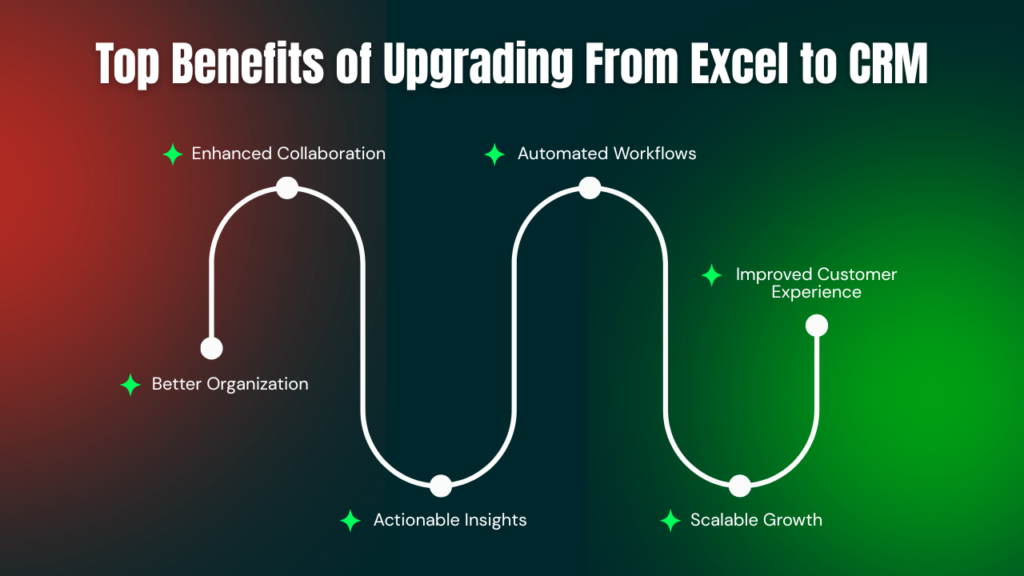
Top Benefits of Upgrading From Excel to CRM
Better Organization
All your customer data — contacts, communication history, purchase details — is stored in one centralized system. No more hunting through multiple spreadsheets or email chains.
Enhanced Collaboration
CRM systems allow teams to work together seamlessly. Sales, marketing, and support teams can access up-to-date information, ensuring everyone is on the same page.
Automated Workflows
Repetitive tasks like follow-up emails, reminders, or lead assignments can be automated. This not only saves time but also ensures that no opportunity slips through the cracks.
Actionable Insights
CRMs provide real-time analytics on sales performance, marketing campaigns, and customer engagement. Instead of guessing, managers can make data-driven decisions.
Scalable Growth
Excel may suffice for a small client list, but as your business grows, CRM scales effortlessly. Whether you have 100 or 100,000 customers, CRM keeps your operations efficient.
Improved Customer Experience
With all customer information at your fingertips, your team can respond faster, personalize interactions, and build stronger relationships, ultimately increasing customer loyalty.
CRM vs Excel: A Side-by-Side Comparison
Feature | Excel | CRM |
Data Storage | Manual spreadsheets | Centralized database |
Collaboration | Limited | Real-time, multi-user access |
Automation | None | Automated workflows, reminders |
Analytics | Manual | Real-time dashboards and reports |
Scalability | Low | High |
Customer Insights | Minimal | Advanced, actionable insights |
The comparison makes it clear: while Excel is useful for small tasks, CRM is designed for modern businesses aiming for efficiency, accuracy, and growth.
Common Concerns About Switching to CRM
Many businesses hesitate to move from Excel to CRM due to concerns about cost, complexity, or training. But modern CRMs are user-friendly and cost-effective. Switch to CRM today and streamline your business operations with ease.
Ease of Use
Today’s CRMs are intuitive, with drag-and-drop interfaces and guided setup processes. Employees can adapt quickly without advanced technical knowledge.
Affordability
Cloud-based CRMs offer flexible pricing plans suitable for small and large businesses. The ROI comes from improved productivity, increased sales, and reduced errors — making the investment worthwhile.
Data Migration
Most CRM providers, including Kenfra, offer tools to import your existing Excel data quickly and accurately, making the transition smooth.
Real-World Impact of CRM Adoption
Businesses that adopt CRM report measurable improvements:
- 30–40% increase in sales productivity due to streamlined workflows
- 25–35% reduction in manual errors
- Improved customer satisfaction with faster response times and personalized service
- Better forecasting and decision-making through data-driven insights
Switching from Excel to CRM transforms scattered spreadsheets into a centralized, intelligent system that supports long-term business growth.
How to Make the Switch Successfully
Assess Your Needs
Identify the features your business requires — lead management, email integration, reporting, etc.
Choose the Right CRM
Select a CRM like Kenfra CRM that fits your budget, integrates with existing tools, and can scale with your growth.
Plan Your Data Migration
Organize your Excel files, clean up duplicates, and map your data fields for a smooth transfer.
Train Your Team
Ensure employees understand how to use the CRM effectively. Many CRM providers offer tutorials, webinars, and customer support.
Leverage Analytics
Use CRM dashboards to monitor performance, track leads, and make data-driven decisions.
FAQs: CRM vs Excel
1.What is the main difference between Excel and a CRM?
Excel is primarily a spreadsheet tool for organizing data, while a CRM like Kenfra CRM is designed to manage customer relationships, automate workflows, and provide actionable insights for business growth.
2. Can I migrate my Excel data to a CRM?
Yes! Most modern CRMs, including Kenfra CRM, offer tools to import your Excel files quickly and accurately, making the transition smooth and hassle-free.
3. Is CRM suitable for small businesses?
Absolutely. Modern CRMs are scalable and affordable, making them ideal for businesses of all sizes, from startups to large enterprises.
4. Will my team need training to use a CRM?
While CRMs are generally user-friendly, brief training ensures your team maximizes features like automation, dashboards, and reporting for the best results.
5. How does CRM improve sales and customer management compared to Excel?
A CRM centralizes customer data, automates workflows, and provides real-time analytics, helping sales teams track leads, follow up efficiently, and make data-driven decisions — something Excel alone cannot do.
Conclusion
If your business is still relying on Excel for customer management, it’s time to switch to CRM. CRM systems provide better organization, collaboration, automation, and insights that Excel cannot match. By moving to CRM, businesses can reduce errors, save time, enhance customer relationships, and ultimately drive growth. Don’t let outdated spreadsheets hold your business back — switch to CRM today and experience the power of smarter business management.
Start your journey with Kenfra CRM and turn your customer data into actionable growth.









Leave a Reply